Online demo: live · freeAPI: at launch
Screenshot API
Turn any public URL into a pixel-perfect capture — full page or viewport, PNG or JPEG, rendered by a real browser.
Capabilities
- Full-page or viewport captures, PNG or JPEG, custom width and delay.
- Block ads, trackers and cookie banners before the shot is taken.
- Cache control (cache_ttl) so repeat captures don't re-render unnecessarily.
- Rendered by a real headless browser — what a visitor actually sees.
Where it fits
- Link previews and thumbnails for a content or bookmarking product.
- Visual monitoring — catch layout regressions or outages with scheduled captures.
- Archiving a page as it looked on a given date, for compliance or reporting.
What comes out
GET /screenshot/take?url=example.com&format=png
IN · a URL
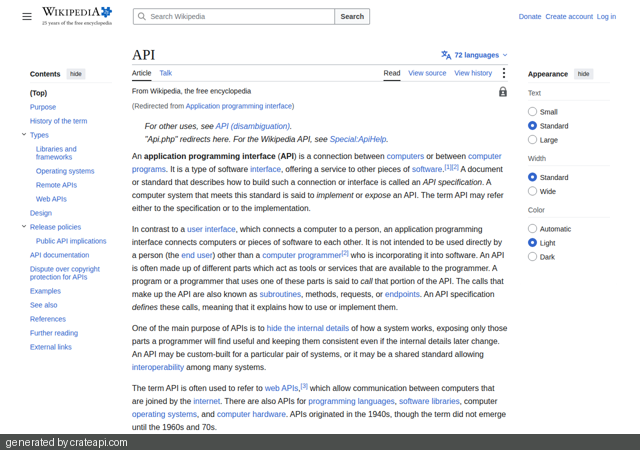
OUT · the capture
Try it live
try:
Public pages only, captured as any visitor would see them · custom URLs: 5 captures/day per visitor · you are responsible for the URLs you submit
Doing this repeatedly? The same operation is one API call — at launch →
Call it from your code
curl -X GET "https://api.crateapi.com/screenshot/take?url=https://example.com&format=png&width=1280" \
  -H "X-API-Key: YOUR_KEY" -o capture.png
The Document Tools key opens at launch — try every operation in the live demo above, free, right now.
Trust & data handling
Every demo on this page runs against the live engine. Uploaded files and pasted text are processed in memory and never written to disk; nothing about your request is stored. Details: Trust & Security.
Pricing
This demo is free to use today. Document Tools plans open at launch — join the list and lock in the launch discount.
FAQ
Can I capture any URL?
Any public page. You're responsible for the URLs you submit — see Trust & Security.
PNG or JPEG?
Both — pass format=png or format=jpeg, plus width/height and an optional delay for pages that render late.
Is the capture cached?
The full API supports a cache_ttl parameter; this demo caches presets for an hour to stay fast for everyone.
Ready to try it?
click anywhere or press Esc to close